Proxying GA4 Through Your Own Domain: Pitfalls Nobody Warns You About
By Samarth Analytics · Published · Updated · Server-Side Tracking · 13 min read
Summary: A technical breakdown of proxying GA4 requests through a first-party domain setup. This guide explains why teams attempt GA4 domain proxying, and the hidden complexities around DNS, TLS, cookie behavior, consent signal forwarding, geo detection, and rate limiting that emerge at scale.
WHY PROXY IN THE FIRST PLACE
Proxying GA4 through your own domain is typically motivated by the shift toward first-party tracking in a privacy-constrained environment.
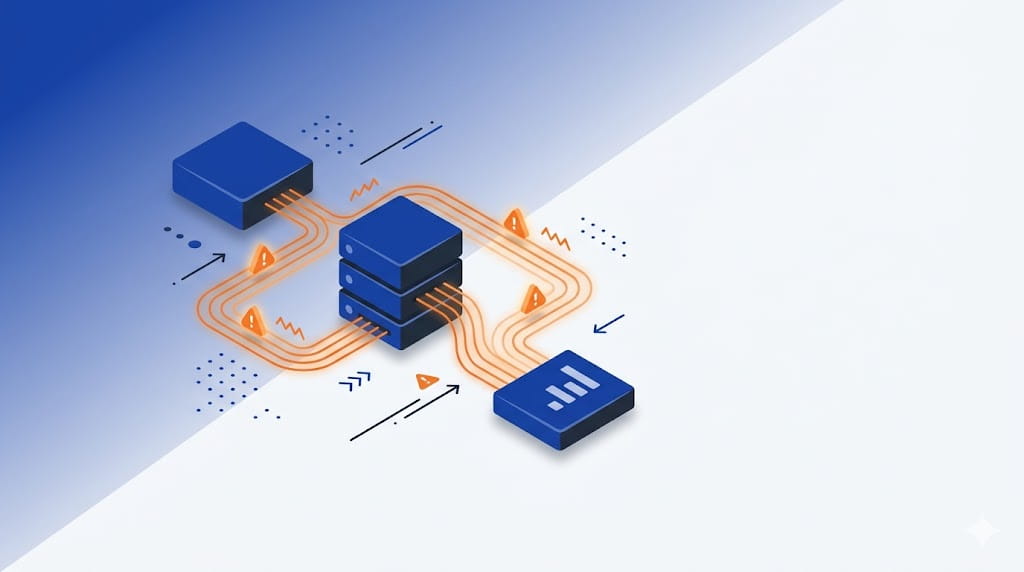
Instead of sending requests directly to Google endpoints, teams route GA4 hits through a custom subdomain (e.g., analytics.yourdomain.com).
The intended benefits usually include:
Improved cookie persistence in restrictive browsers Reduced impact of ad blockers Stronger first-party data ownership perception Better alignment with server-side tracking architectures Increased resilience in privacy-heavy environments
On paper, it looks like a straightforward upgrade. In practice, it introduces multiple hidden dependencies across DNS, security, cookies, and compliance systems.
DNS AND TLS SETUP
The first technical layer in GA4 proxying is DNS configuration and TLS certificate management.
A custom GA4 endpoint requires:
Subdomain configuration (e.g., analytics.domain.com) DNS routing to proxy infrastructure Valid TLS certificates for secure HTTPS traffic Continuous certificate renewal management
Common issues include:
Misconfigured CNAME records breaking request routing Certificate mismatches causing tracking failures Latency introduced by additional proxy hops Regional DNS propagation delays affecting data consistency
TLS termination becomes especially important because GA4 requests must remain encrypted end-to-end to avoid data rejection or browser blocking.
Even small misconfigurations at this layer can silently break attribution without obvious frontend errors.
COKIE DOMAIN AND SUBDOMAIN RULES
Cookie behavior becomes significantly more complex when GA4 is proxied through a first-party domain.
Normally, GA4 sets cookies on Google-managed domains. When proxying is introduced, cookie logic shifts to your own domain structure.
Key considerations:
Cookies must align with root domain vs subdomain scope Cross-subdomain tracking requires explicit configuration Third-party cookie reliance must be eliminated or minimized SameSite and Secure attributes must be correctly enforced
Common failure modes:
Session fragmentation across subdomains Loss of user continuity between landing pages and checkout Incorrect attribution due to cookie isolation Conflicts between client-side and server-side cookie sources
The most important principle:
If cookie scope is misconfigured, attribution integrity breaks even if data collection still “works.”
CONSENT SIGNAL FORWARDING
Consent handling becomes significantly more sensitive in a proxy-based GA4 setup.
When GA4 is routed through your domain, consent signals must be explicitly forwarded and respected at the proxy layer.
This includes:
analytics_storage consent state Region-based consent rules (GDPR, UK GDPR, etc.) Consent updates after user interaction Integration with CMP systems (OneTrust, Cookiebot, etc.)
Critical risks:
Consent mismatch between client and proxy layer Sending analytics data before consent state is confirmed Dropping consent signals during proxy transformation Inconsistent behavior across browsers and regions
A proxy system does not remove consent requirements-it increases the number of points where consent can fail silently.
GEO AND REGION DETECTION
One of the less obvious side effects of GA4 proxying is changes in geographic detection accuracy.
Normally, GA4 infers location from Google’s infrastructure layer. When requests are proxied, that signal path changes.
Potential issues include:
IP-based geo detection shifting to proxy server location Misattributed traffic sources in analytics reports Country-level reporting inconsistencies Ad platform mismatches in geo targeting performance
This becomes especially problematic when proxy servers are hosted in a limited number of regions.
For example, a global user base routed through a single EU proxy endpoint may distort geographic distribution entirely.
Geo accuracy depends on preserving original request metadata, not just forwarding events.
RATE LIMITS YOU'LL FIND AT SCALE
At small scale, GA4 proxying appears stable. At higher volumes, rate limiting becomes a real constraint.
Key limitations include:
Request throttling under high event throughput Burst traffic smoothing leading to delayed event processing Proxy infrastructure saturation before GA4 limits are reached Retry storms caused by failed event deliveries
Unlike standard GA4 implementations, proxy setups introduce an additional bottleneck layer between user activity and data collection endpoints.
Common scaling problems:
Black Friday or campaign spikes causing event loss Queue backlog in proxy servers Delayed event ingestion affecting real-time reporting Increased latency affecting attribution timing
At scale, proxy performance becomes as important as GA4 configuration itself.
FINAL THOUGHTS
Proxying GA4 through your own domain is often positioned as a simple upgrade toward first-party tracking, but in reality it introduces complexity across nearly every layer of the tracking stack.
DNS, TLS, cookies, consent, geo detection, and rate limiting all become interconnected failure points. Each layer may function independently, but misalignment between them can silently degrade data quality.
A successful implementation is less about “making GA4 first-party” and more about maintaining consistency across identity, consent, and transport layers under scale conditions.
Topics: GA4 custom domain, first-party tracking, GA4 proxy setup, cookies and consent, data collection, server-side tracking, Analytics Infrastructure, Tag Management
More articles on the Samarth Analytics blog · Markdown version of this article