Orchestrating GA4 Exports with Airflow or Dagster
By Samarth Analytics · Published · Updated · Analytics Engineering · 8 min read
Summary: The daily GA4 export to BigQuery is notoriously unpredictable, arriving anywhere from 30 minutes to 72 hours after the close of the UTC day. This wide variance frequently breaks downstream data models and executive dashboards that rely on naive fixed-time scheduling. This guide provides a robust orchestration pattern for Airflow and Dagster that utilizes sensors and validation logic to trigger ELT pipelines only when data is verified as complete and accurate.
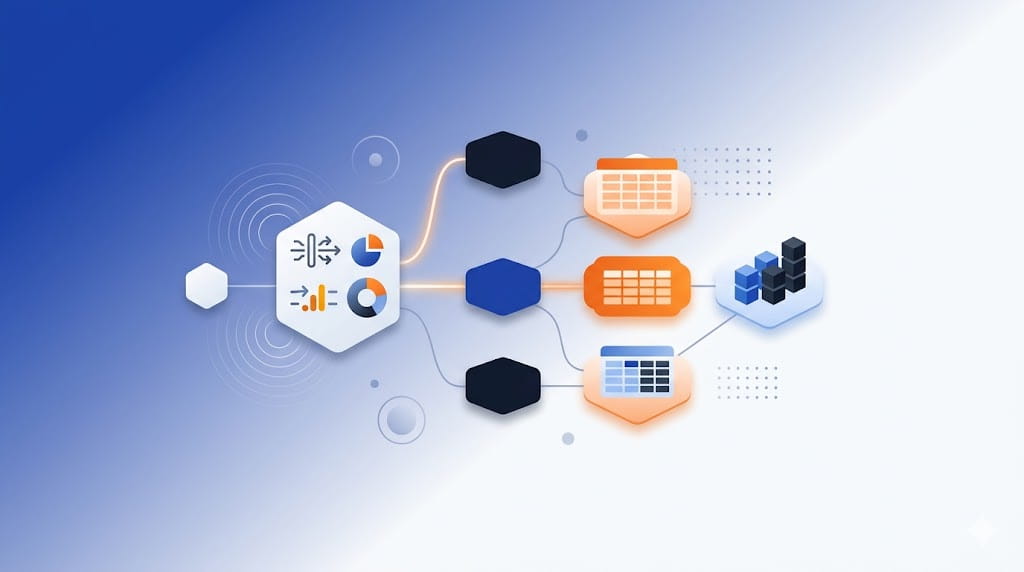
Why scheduling GA4 downstream jobs is tricky
In the realm of Analytics Engineering (AE), the primary goal is the creation of a "Stable Source of Truth." However, when your primary data source is the GA4 BigQuery export, stability is often at the mercy of Google’s internal processing latencies. Unlike a standard database replication that might happen every 15 minutes, the GA4 export is an asynchronous, batch-heavy process.
The fundamental challenge is the "Export Window." While the table for the previous day (e.g., events_20260407) usually appears within a few hours of UTC midnight, it is often "incomplete." Google may continue to stream late-arriving events or perform session-stitching calculations for up to 72 hours after the day has ended. If your ELT (Extract, Load, Transform) pipeline triggers at a fixed time-say, 4:00 AM UTC-you run a significant risk of processing partial data.
Naive scheduling leads to "Data Fragility." If the dashboard updates with 80% of the day’s revenue because the export was slow, the marketing team may make incorrect budget decisions based on a perceived dip in performance. Furthermore, once that partial data is modeled and cached in your reporting layer, "fixing" it requires manual intervention and backfilling, which wastes valuable analyst time. To scale your Analytics Architecture (AA) in 2026, you must move from "Time-Based Scheduling" to "Event-Based Orchestration."
Detecting export completion reliably
To build a resilient pipeline, your orchestrator must be "Self-Aware." It shouldn't just run; it should "Look" before it leaps. Detecting that the GA4 export is ready involves more than just checking if the table exists; it requires verifying the state of that table.
The Multi-Step Verification Logic:
Table Existence: The first check is to see if the sharded table events_YYYYMMDD has been created in your BigQuery dataset.
Intra-day vs. Daily: You must ensure that you are not accidentally reading the events_intraday_ table. The intra-day table is a temporary stream that lacks the full processing and sessionization of the final daily table.
Row Count Stability: In high-volume environments, we often implement a "Volume Check." If the row count for the new table is significantly lower (e.g., 50% less) than the 7-day rolling average, the orchestrator should flag this as a "Suspicious Export" and delay the downstream jobs.
The Metadata Signal: Google sometimes provides a metadata view in BigQuery that reflects the status of exports. However, for most AE teams, the most reliable signal is the successful creation of the final sharded partition.
By implementing these checks, you transform your Analytics Architecture from a collection of "hopeful" scripts into a "Guaranteed Pipeline." You ensure that the data flowing into your Custom Dashboards (CD) is always the "Final Version" of the truth.
Airflow sensor pattern
Apache Airflow is the industry standard for workflow orchestration, and its "Sensor" architecture is perfectly suited for handling GA4 export latencies. A sensor is a special type of operator that "pokes" a resource at a defined interval until a condition is met.
The BigQueryTableExistenceSensor Pattern: We utilize the BigQueryTableExistenceSensor to pause the DAG (Directed Acyclic Graph) until the specific date partition is available.
Mode: Reschedule: Instead of "Poke" mode (which keeps a worker slot busy), "Reschedule" mode releases the worker between checks. This is critical for cost control, as the GA4 export might be delayed for hours.
Poke Interval: We recommend a 15-minute interval. This is frequent enough to catch the export as soon as it arrives but sparse enough to avoid unnecessary API overhead.
Timeout: Set a long timeout (e.g., 12 hours). If the export hasn't arrived by then, it’s no longer a "delay"; it’s a "systemic failure" that requires a PagerDuty alert.
Dynamic DAG Construction: In Airflow, you should define your DAGs using the execution_date. This allows you to look for the table corresponding to the day being processed. If the DAG runs for April 8th, the sensor looks for events_20260408. This ensures that even if you have to run a multi-day backfill, each task independently waits for its specific data partition.
Dagster asset sensor pattern
For teams using Dagster, the approach shifts from "Workflows" to "Assets." Dagster’s Analytics Engineering philosophy treats the BigQuery table as an upstream asset.
The Asset Sensor Strategy: Instead of a sensor that sits inside a job, Dagster uses Asset Sensors that live at the workspace level. These sensors monitor the external state of BigQuery and "Tick" whenever a new partition is detected.
The Observation: The sensor runs a lightweight SQL query: SELECT count() FROM your_dataset.events_2026.
The Condition: If a new date shard is found that hasn't been processed yet, the sensor issues a RunRequest.
The Materialization: This request triggers the materialization of the downstream assets (e.g., your "Staged Events" or "Sessionized Sessions").
The beauty of the Dagster pattern is that it is "Stateful." If Google exports three days of data at once after a long delay, the Dagster sensor will detect all three and trigger three separate runs. This provides a level of "Auto-Recovery" that is difficult to replicate with traditional cron-based scheduling. It moves your orchestrate GA4 exports strategy from a manual "fix-it" task to a self-healing system.
Backfilling missed days
Because the GA4 export can be delayed by up to 72 hours, your orchestration must be built for Idempotency. An idempotent job is one that produces the same result no matter how many times it is run for a specific date.
The Backfill Protocol:
Overwrite, Don't Append: When processing a GA4 partition, your SQL models should use CREATE OR REPLACE TABLE or INSERT OVERWRITE. This ensures that if you re-run a job because the initial export was partial, the old data is completely wiped and replaced by the "Final" data.
Handling the 72-Hour Limit: GA4 allows for data to be "refined" for up to 72 hours. We recommend a "Rolling Backfill" strategy where your orchestrator automatically re-runs the last three days every night.
The "Audit" Table: Maintain a table that logs the last_modified_time of every GA4 shard you have processed. If the modification time changes (meaning Google updated the data), your AE models should re-trigger automatically.
This "Temporal Rigor" ensures that your multi-year trend reports in Custom Dashboards are always accurate, even if the underlying Google data was volatile during the week of collection.
Alerting on delayed exports
A silent delay is just as dangerous as a failure. If your executive team opens their Monday morning report and the data for Sunday is missing, they will assume the entire Analytics Architecture is broken.
The Alerting Framework:
SLA Alerts: In Airflow or Dagster, define an "Expected Arrival Time" (e.g., 6:00 AM UTC). If the sensor hasn't succeeded by this time, send a "Warning" alert to Slack.
Stakeholder Notification: Use your orchestrator to update a "Data Freshness" status page or a dashboard footer. "Data current as of: April 8th (Delayed)" is much better than showing an empty chart.
Critical Timeout: If the data hasn't arrived by 24 hours past midnight, trigger a "Critical" alert. This usually indicates an issue with the Google Cloud linking or a billing failure in the GCP project.
Professional orchestrate GA4 exports includes managing "Expectations" as much as it includes managing "Exports." Transparency in the data pipeline is the only way to maintain trust with the CMO and CFO.
Cost control on retries
Orchestration is not free. Every "Poke" of a sensor and every retry of a failed job consumes compute resources and cloud credits. If you are not careful, an export delay can result in thousands of unnecessary BigQuery metadata queries.
Optimization Tactics:
Exponential Backoff: Instead of checking every 5 minutes, configure your sensor to check every 15, then 30, then 60 minutes. This reduces the "Noise" in your logs and the cost of your orchestrator.
Low-Cost Existence Checks: Instead of running a SELECT * to see if a table is ready, use the tables.get API or a query against INFORMATION_SCHEMA.TABLES. These metadata queries are significantly cheaper than data-scanning queries.
Task Concurrency Limits: Ensure that a backfill doesn't trigger 50 simultaneous BigQuery jobs. Limit the "Pool" size in Airflow to prevent overwhelming your BigQuery slot capacity, which can lead to high-latency execution and "Query Failure" cascades.
In 2026, Analytics Engineering efficiency is measured by the "Cost per Insight." A well-orchestrated pipeline is a cost-effective pipeline.
Final thoughts
The unpredictability of the GA4 export is a reality of the modern data ecosystem. You cannot control when Google delivers your data, but you can control how your business responds to it.
By moving away from naive scheduling and embracing a sensor-driven orchestration pattern in Airflow or Dagster, you build an Analytics Architecture that is resilient to latency and dedicated to accuracy. You ensure that your Custom Dashboards are only updated when the "Truth" is ready, protecting your organizational credibility and your marketing performance.
Data is a fluid asset; your orchestration is the dam that controls its flow. Build it with precision, and your insights will always be on solid ground.
Topics: AE, Airflow sensor, orchestrate GA4 exports, data orchestration, ELT pipeline, CD, BigQuery export, Dagster asset, Analytics Architecture, idempotency
More articles on the Samarth Analytics blog · Markdown version of this article