Navigation and Search CRO for Large Catalogs
By Samarth Analytics · Published · Updated · CRO Audits · 7 min read
Summary: For e-commerce sites with a thousand or more SKUs, the traditional landing page optimization playbook is insufficient. At this scale, navigation and on-site search become the primary drivers of revenue and the most significant points of friction. This guide explores seven patterns for closing the search-to-purchase gap, analyzing search intent in GA4, and architecting faceted navigation that converts without overwhelming the user.
Why search is the first CRO move on large catalogs
In the world of CRO (Conversion Rate Optimization), we often focus on the "hero section" or the "add to cart" button. However, for a site with 5,000 SKUs, those elements are secondary to a much larger problem: discovery. If a user cannot find the specific item they need within 15 seconds, they don't care how beautiful your button is-they are gone.
On large catalog sites, the on-site search bar is not just a feature; it is the "High-Intent Highway." Our ECA (E-commerce Analysis) consistently shows that users who search convert at a rate 3x to 5x higher than those who purely browse. These users have already moved past the "Awareness" phase; they have entered the "Selection" phase. Every millisecond of friction in the search experience-a slow result load, an irrelevant product ranking, or a "Zero Results" page-is a direct hit to your bottom line.
In 2026, search CRO large catalog strategy is about moving from "Matching Keywords" to "Predicting Intent." Large inventories create a "Paradox of Choice" where too many options lead to zero decisions. The goal of search optimization is to act as a digital concierge, filtering out the 4,990 items the user doesn't want so they can focus on the 10 they do.
Search query analysis in GA4
The first step in any search-focused CRO audit is to look at the data. GA4 provides a dedicated event for this: view_search_results. By analyzing the search_term parameter associated with this event, you can unlock a "Query-to-Revenue" map of your entire inventory.
The Diagnostic Workflow:
Volume vs. Value: In a GA4 Exploration, map your top 50 search terms against "Purchase Revenue." You will likely find a "Power Law" where 10% of search terms drive 80% of search revenue.
The "Missed Opportunity" List: Look for high-volume search terms with a low conversion rate. Is the search engine showing irrelevant products? Are the prices for those items non-competitive?
Session Pathing: Use "Path Exploration" to see where users go after a search. If they search for "Blue Jeans" and then immediately click "Back" or "Refine," your default search ranking is failing to meet their intent.
This analysis allows the Analytics Engineering (AE) team to build "Search Intent Segments" in BigQuery, identifying which categories of products are the most difficult for users to find through standard navigation.
Zero-result searches - the bucket list
The "Zero Results" page is the single most expensive page on your website. It is a dead end that signals to the user that your brand cannot help them. In a large catalog environment, "Zero Results" are rarely the result of actually not having the product; they are usually the result of a "Language Mismatch."
Building the "Bucket List": In your Custom Dashboards (CD), you should have a permanent "Zero Results Report." This report identifies the specific terms users are typing that return nothing.
Typo Management: If users search for "erganomic" instead of "ergonomic," and your search engine isn't using "Fuzzy Matching," you are losing sales to a spelling error.
Synonym Mapping: If you sell "Couches" but the user searches for "Sofas," your AE team must implement a synonym library at the search engine level.
The Procurement Signal: If users are searching for a specific brand or category you truly don't carry, this isn't an analytics problem-it's a procurement opportunity. This "Bucket List" becomes the primary research tool for your buying team.
A high-converting "Zero Results" page should never be empty. It should offer "Suggested Alternatives," "Trending Items," or a "Concierge Search" (Chat/Search) option to keep the user in the funnel.
Autocomplete ranking patterns
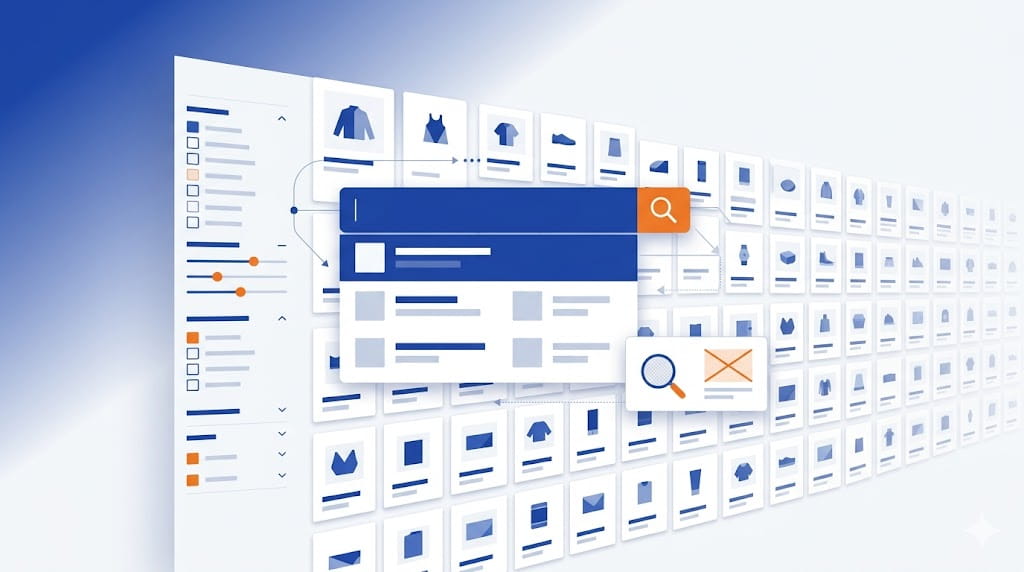
The "Search-as-you-type" or Autocomplete feature is where the battle for the user's attention is won or lost. In 2026, a search bar that only shows text suggestions is a legacy experience.
High-Conversion Autocomplete Patterns:
Visual Previews: Showing a thumbnail image, the price, and the star rating directly in the dropdown. This allows the user to "Pre-Validate" the item before they even hit the search results page.
Category Suggestions: If a user types "Running," offer "Running Shoes" and "Running Jackets" as distinct categories. This helps the user "Narrow the Search" before it even begins.
Intent-Based Ranking: If your ECA shows that 90% of people who search for "Apple" are looking for "AirPods," the AirPods should be at the top of the autocomplete, regardless of "Keyword Relevancy" to other Apple products.
By optimizing the autocomplete, you reduce the "Time to Selection." You are effectively turning the search bar into a "Fast-Track Checkout" for your most popular items.
Faceted navigation that doesn't overwhelm
For a large catalog, the sidebar filters (Faceted Navigation) are the "Control Center" of the user experience. However, there is a fine line between "Empowering" and "Overwhelming." If you show 50 different filter options at once, the user will experience "Decision Fatigue."
The "Progressive Disclosure" Pattern:
Priority Filters: Always show the "Big Three" first: Price, Size, and Color.
Collapse Logic: Keep secondary filters (Material, Brand, Style) collapsed by default.
Dynamic Facets: Use your Analytics Architecture (AA) to only show relevant filters. If a user is in the "Shoes" category, don't show "Battery Life" as a filter option.
On mobile, faceted navigation must be a "Full-Screen Overlay" with large, tappable targets. Small checkboxes that are difficult to hit with a thumb are a major cause of filter abandonment. The "Applied Filters" should be clearly visible and easily "Removable" with a single tap, allowing the user to experiment with different combinations without friction.
Category landing pages that convert
On a site with 1,000+ SKUs, a "Category Page" (PLP) is often the user's first landing page from a Google Search. In 2026, these pages should not just be a "Grid of Items"; they should be "Guides to the Category."
The "Curated Grid" Pattern: Instead of a simple "Newest to Oldest" sort, use your ECA data to "Lead with the Best."
Best-Seller Highlighting: Place your top-converting items in positions 1, 2, and 3.
Educational Content: Insert "Buying Guide" cards or "Comparison Charts" within the product grid. If you sell "Office Chairs," a small card that says "Which chair is right for your back pain?" can move the user from "Confused Browsing" to "Confident Selection."
Sub-Category Visuals: At the top of the page, show visual "Bubbles" for sub-categories. This is significantly more effective on mobile than a text-based breadcrumb.
By turning your PLPs into "Guided Experiences," you solve the paradox of choice. You aren't just showing them what you have; you are helping them choose what they need.
Measuring search contribution to revenue
The final stage of search CRO large catalog strategy is to prove the ROI of your efforts. This requires an "Assisted Search Attribution" model in BigQuery.
The Attribution Framework:
Search-Influenced Revenue: Any transaction where the user used the search bar at least once in the 30 days prior to purchase.
Direct-Search Revenue: Any transaction where the user used the search bar in the same session as the purchase.
Search Exit Rate: The percentage of users who use the search bar and then immediately exit the site.
In your Custom Dashboards (CD), you should track the "Search Revenue Per Session." If your CRO efforts are successful, this number should rise even if your total traffic remains flat. By quantifying the value of a single search, you can justify the investment in expensive third-party search tools (like Algolia or Constructor.io) that provide the "AI-Ranking" and "Fuzzy Matching" needed to scale.
Final thoughts
For enterprise e-commerce, the search bar is the heart of the business. It is where the user’s "Intent" meets your "Inventory." If the heartbeat is weak-due to poor ranking, zero results, or a cluttered UI-the entire business suffers.
Optimization for a large catalog is a game of "Precision and Speed." By mastering the GA4 search query data, eliminating the "Zero Result" dead ends, and building an intuitive faceted navigation system, you turn your inventory from a burden into a competitive advantage.
In 2026, the brands that win aren't just those with the best products; they are those with the best "Path to Product." Reclaim your search revenue, optimize your discovery, and help your customers find exactly what they were looking for.
Topics: large catalog management, CRO, ECA, e-commerce growth, search CRO large catalog, site search optimization, navigation strategy, user discovery, GA4 search analysis, faceted navigation
More articles on the Samarth Analytics blog · Markdown version of this article