Version Control for GTM: Auditing Changes That Broke Tracking
By Samarth Analytics · Published · Updated · Tag Management · 15 min read
Summary: A practical workflow for treating Google Tag Manager like production code. This guide explains how to use GTM’s version history effectively, implement change review conventions, rehearse rollbacks, and run weekly audits that catch silent tracking regressions before they impact reporting.
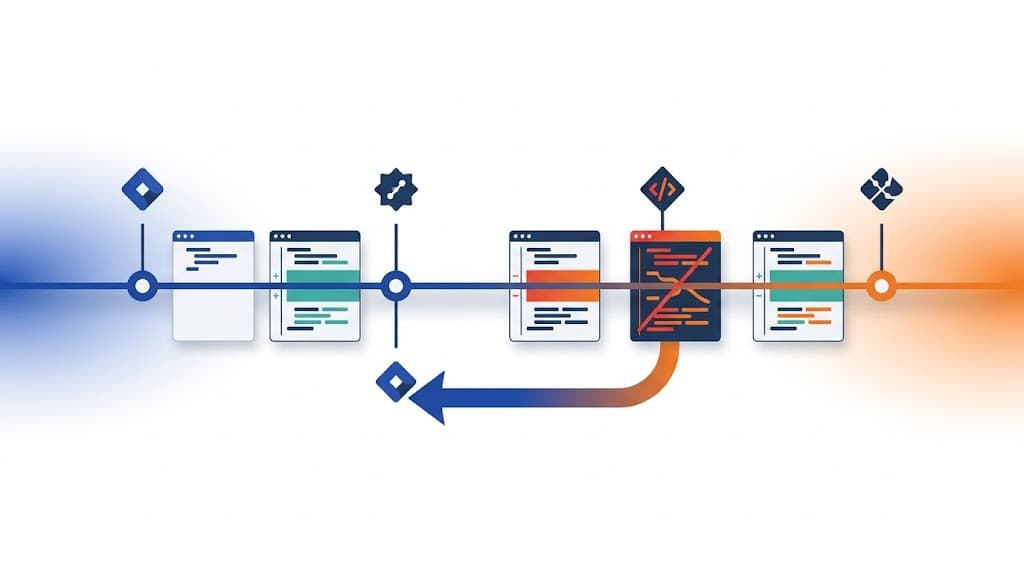
WHY GTM BUGS SURVIVE WEEKS BEFORE DETECTION
Tracking issues in Google Tag Manager rarely fail loudly. Unlike application bugs, they do not crash pages or break user flows. Instead, they quietly degrade data quality.
This is why GTM bugs often go unnoticed for weeks.
Common characteristics of GTM failures:
Events stop firing for specific segments only Duplicate events inflate conversion counts Attribution parameters silently drop Consent states block tags inconsistently Server-side forwarding breaks partially
These issues rarely trigger alerts. They show up later as:
Reporting discrepancies Unexpected drops in conversions Misaligned platform data Confusing stakeholder questions
The root cause is not just technical-it is procedural.
Most teams treat GTM as a configuration tool, not a production system. Without version control discipline, changes accumulate without accountability or traceability.
THE NATIVE VERSION UI, USED WELL
GTM includes a built-in versioning system that captures every published state of a container.
Each version contains:
A snapshot of all tags, triggers, and variables A change summary Publish timestamp User who made the change
However, most teams underuse this feature.
Typical mistakes:
Publishing without meaningful version names Skipping change descriptions Treating versions as checkpoints rather than release artifacts Not reviewing version diffs before publishing
Used correctly, the version UI becomes a powerful audit tool.
Best practices:
Treat every publish as a release Use structured naming conventions (e.g., “v2.3 – checkout tracking fix”) Write clear change summaries describing what changed and why Review diffs before publishing to confirm expected changes only
The version history should tell a story of your tracking system over time-not just a list of timestamps.
CHANGE SUMMARY CONVENTIONS THAT HELP NEXT WEEK’S YOU
One of the simplest improvements in GTM governance is standardizing how change summaries are written.
A good change summary answers three questions:
What changed? Why was it changed? What should be monitored after deployment?
Example of a weak summary:
“Updated tags”
Example of a strong summary:
“Updated GA4 purchase event trigger to prevent duplicate firing on thank-you page reload. Monitor conversion count stability.”
Recommended format:
Change type: (bug fix, new tracking, optimization) Scope: (which tags/triggers/variables affected) Reason: (why change was needed) Risk note: (what could break or needs validation)
This level of detail reduces debugging time significantly when issues appear later.
Future you-or another team member-should be able to understand the intent of a change without additional context.
ROLLBACK DRILLS YOUR TEAM SHOULD RUN
Most teams assume they can roll back a GTM container if something breaks. Few actually test this assumption.
Rollback is not just a feature-it is a process that needs practice.
Key risks without rollback drills:
Teams do not know which version is safe Dependencies between tags are not understood Emergency fixes introduce new issues Downtime increases during critical failures
Recommended rollback practices:
Identify a known stable version regularly Simulate rollback scenarios in a staging environment Document rollback steps clearly Assign responsibility for rollback decisions Test rollback impact on key events and conversions
A rollback should be executable within minutes, not hours.
If rollback requires investigation, the process is not ready.
WEEKLY CHANGE AUDIT TEMPLATE
A weekly GTM audit ensures that changes are reviewed proactively rather than reactively.
A structured audit should include:
- Version review
List all versions published in the past week Review change summaries for clarity and completeness
- Diff validation
Check for unexpected changes in tags, triggers, or variables Confirm no unintended deletions or modifications
- Event validation
Verify key events (pageview, purchase, lead, etc.) are firing correctly Compare event counts against previous periods
- Attribution checks
Confirm UTM parameters are captured correctly Validate source/medium consistency in GA4
- Consent and compliance review
Ensure consent signals are respected Check for unintended data collection before consent
- Platform alignment
Compare GA4, Google Ads, and Meta conversion counts for anomalies
This audit should take 30–60 minutes per week and prevents weeks of data loss.
WHEN TO EXPORT TO GIT
For most teams, GTM’s native versioning is sufficient. However, at scale, additional version control systems may be required.
Exporting GTM containers to Git becomes valuable when:
Multiple teams are collaborating across environments Complex server-side GTM setups are in use Custom templates require code-level versioning Compliance or audit requirements demand external tracking CI/CD workflows are implemented for tracking deployments
Benefits of Git integration:
Full version history with branching and merging Code review workflows for tracking changes Integration with deployment pipelines Backup outside GTM platform
However, it introduces complexity:
Requires engineering support Adds overhead to deployment process Needs clear governance rules
The decision to move to Git should be based on organizational scale and risk tolerance.
FINAL THOUGHTS
GTM version control is not about tools-it is about discipline. The platform already provides the mechanisms needed to track changes, audit behavior, and recover from failures.
The difference between stable tracking and constant debugging lies in how those mechanisms are used.
By treating GTM like production code-using structured versioning, clear change summaries, rollback readiness, and regular audits-teams can prevent silent data regressions and maintain confidence in their analytics systems over time.
Topics: tag governance, Google Tag Manager audit, GTM workflows, analytics debugging, GTM version control, change management, tracking QA
More articles on the Samarth Analytics blog · Markdown version of this article