Cross-Domain Tracking in GTM: The Linker Parameter Gotchas
By Samarth Analytics · Published · Updated · Tag Management · 12 min read
Summary: Cross-domain tracking is one of the most fragile components of modern tag management. This guide explores the four common breakage patterns involving subdomains, payment redirects, and iframes, providing a technical blueprint for implementing the linker parameter correctly and a diagnostic flow to ensure session continuity across fragmented digital journeys.
What the linker parameter actually does
To master GTM cross-domain tracking, one must first understand the fundamental limitation of the browser: the Same-Origin Policy. Cookies, specifically the _ga cookie used by GA4, are tied to a specific domain. If a user moves from website-a.com to website-b.com, the browser will not share the cookie from the first site with the second. To the analytics engine, this looks like two completely different people, which destroys your TM (Tag Management) attribution.
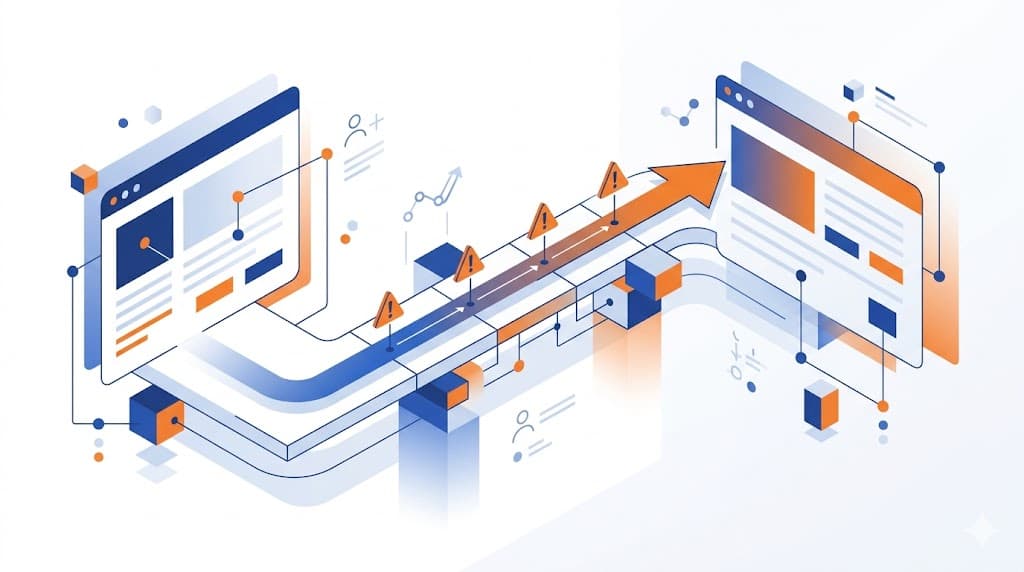
The linker parameter is the solution to this "siloed data" problem. Technically, the linker is a URL parameter (usually prefixed with _gl) that is dynamically appended to outgoing links. When a user clicks a link from Domain A to Domain B, GTM intercepts that click and appends a string containing the user's Client ID, Session ID, and a timestamp.
When Domain B loads, its GTM container sees the _gl parameter in the URL. It then "unpacks" that information and writes a new cookie on Domain B that matches the identity from Domain A. This process is essentially a handoff of identity. Without it, your "Source/Medium" reports become cluttered with "Referral" traffic from your own domains, making it impossible to see which marketing campaigns actually drove a purchase.
Payment gateway redirects
The most frequent "gotcha" in e-commerce GA4 implementation occurs at the point of payment. When a user moves from your shopping cart to a third-party processor like PayPal, Stripe, or a local bank portal, they are leaving your domain.
The Referral Exclusion Failure If the linker parameter is not correctly configured to pass the session data to the payment provider, or if the provider does not "pass back" the user correctly, the session breaks. When the user returns to your "Thank You" page, they appear as a new user arriving from paypal.com.
In 2026, simply adding the domain to your "Unwanted Referrals" list in GA4 is not enough. While that hides the referral from the reports, it doesn't fix the broken session. You must ensure that:
The link to the payment gateway is included in your "Configure your domains" list in the GA4 data stream settings.
If you are using a custom redirect or an API-based checkout, you manually decorate the return URL with the linker parameter.
Failure to manage this handoff results in "Ghost Conversions," where you see sales in your backend but have no idea which ad campaign generated them.
Iframe isolation
Iframes are the "black holes" of TM. Because an iframe is essentially a window into another website hosted on your page, it operates under even stricter security protocols than standard links. A linker parameter appended to the parent page's URL does nothing for the tags firing inside an iframe.
To maintain session continuity within an iframe, you must implement a "Parent-to-Child" communication bridge. This usually involves:
The postMessage API: Passing the linker string from the parent GTM container into the iframe.
Metadata Decoration: Appending the linker parameter to the src attribute of the iframe dynamically as it loads.
If your booking engine or support widget lives inside an iframe on a different domain, and you haven't implemented iframe-specific linker logic, your conversion rate will always look like zero. In our TM audits, we frequently find that brands lose 100% of their "Add to Cart" data simply because their cart is an isolated iframe that doesn't share the main site's Client ID.
Subdomain consent resets
A common misconception is that cross-domain tracking is only for different root domains (e.g., .com to .net). However, subdomain consent resets can be just as disruptive. While subdomains like blog.website.com and shop.website.com can share cookies if configured correctly, they often fail because of how Consent Management Platforms (CMPs) are deployed.
If your CMP is configured to store consent on a per-subdomain basis, a user who accepts cookies on your blog might be asked again when they move to your shop. If the "Consent State" doesn't travel with them, the GA4 tags on the second subdomain will fire in "Consent Mode" (meaning no cookies), while the first subdomain was tracking them fully.
To solve this, you must:
Set the cookie_domain to auto in your GTM configuration.
Ensure your CMP uses a "Cross-Subdomain" storage method (usually by setting the cookie on the root domain .website.com).
Consistency across subdomains is the foundation of a reliable Analytics Architecture.
Mobile app handoffs
In 2026, the journey from a mobile web browser to a native app (the "App Handoff") is a major source of data leakage. When a user is browsing your site in Safari on their iPhone and clicks a "Open in App" link, they are moving from a web environment to a native environment.
This transition is often invisible to GA4 because the app uses a different SDK and a different identity system. To bridge this gap, you must use "Deep Linking" combined with the linker parameter. By appending the _gl parameter to the Universal Link or App Link, you can pass the Web Client ID into the app's Firebase SDK.
This allows your TM strategy to show a unified "Web-to-App" path. Without this, your mobile app looks like it is generating 100% "New Users," when in reality, many of those users were nurtured through your mobile website for weeks.
Debugging with the tagging diagnostic
When GTM cross-domain tracking breaks, you need a systematic approach to find the leak. We recommend the "Tagging Diagnostic" flow:
GTM Preview Mode: Open the Tag Assistant and navigate from Domain A to Domain B.
URL Verification: Look at the address bar of Domain B immediately after the click. If you do not see ?_gl=... or &_gl=..., the linker is not firing.
The "Handoff" Check: In Tag Assistant, look at the _ga cookie value on Domain A and compare it to the _ga cookie on Domain B. They must match exactly (ignoring the timestamp suffix).
Console Inspection: Check for "Refused to frame" or "CORS" errors in the browser console, which often indicate that the receiving domain is blocking the linker parameter for security reasons.
Using the "Tagging Assistant" is the only way to verify that the identity is actually being "unpacked" correctly on the destination site. If the parameter is in the URL but the _ga cookie is different, your destination domain's GTM container is likely misconfigured.
Verifying session continuity
The final test of your GTM cross-domain tracking is the "Session ID" check in GA4.
In the GA4 Real-Time report, you should find your current session and monitor it as you move across domains. If the session_id changes during the transition, the session has broken, even if the Client ID remained the same. This is often caused by a "Double Tagging" issue where a hardcoded tag and a GTM tag are fighting for control on the destination domain.
Steps for Verification:
BigQuery Audit: If you have the BigQuery export enabled, run a query to check for user_pseudo_id consistency across multiple page_location domains.
Landing Page Report: In the GA4 interface, look at your landing pages. If you see high volumes of entries on "Internal" pages (like a checkout page or a sub-page), it is a red flag that sessions are breaking and restarting mid-journey.
Verification is not a one-time task. Every time you add a new third-party tool or change your DNS settings, your cross-domain integrity is at risk.
Final thoughts
Cross-domain tracking is not a "set it and forget it" feature. It is a technical bridge that requires constant maintenance and a deep understanding of browser security models. In an era where privacy and technical restrictions (like ITP) are making data collection harder, the ability to maintain session continuity is what separates professional-grade analytics from amateur guesswork.
By mastering the linker parameter and anticipating the "gotchas" of iframes and payment gateways, you ensure that your marketing budget is allocated based on reality, not on the fragmented data gaps of a broken implementation. Always remember: if you can't track the journey, you can't optimize the destination.
Topics: tag management 2026, linker parameter, session continuity, analytics auditing, payment gateway attribution, TM, iframe tracking, GTM cross-domain tracking, GA4
More articles on the Samarth Analytics blog · Markdown version of this article