GA4 Sampling Thresholds: When Exploration Reports Start Lying
By Samarth Analytics · Published · Updated · GA4 Implementation · 8 min read
Summary: A practical guide to understanding GA4 sampling in Explorations, including where it appears, why it happens around high event volumes, how to detect it, and what strategies actually reduce or eliminate sampling distortion using scoping, GA4 360, or BigQuery-based reporting.
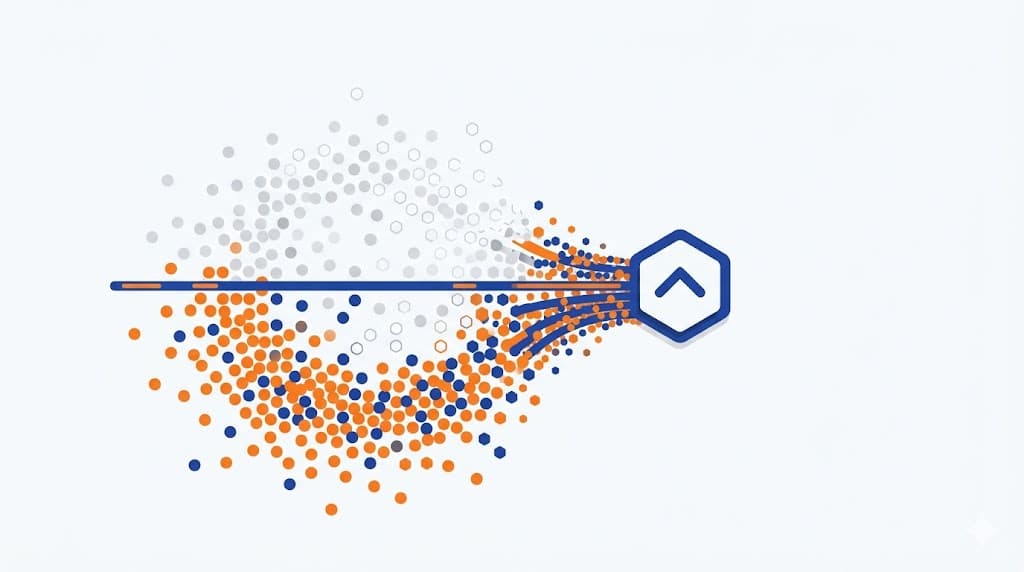
WHERE SAMPLING APPEARS IN GA4
GA4 is designed to provide flexible, exploratory analysis, but that flexibility comes with computational limits. When those limits are exceeded, GA4 applies sampling in certain reporting layers.
Sampling is most commonly seen in:
Explorations reports (especially Free Form and Funnel Exploration) Large date-range queries High-cardinality segment combinations Multi-dimensional breakdowns across large datasets
Standard GA4 reports are less affected, but Explorations-where most deep analysis happens-are where sampling becomes most visible.
The key issue is not that GA4 samples data, but that it does so silently in some cases, which can lead to incorrect interpretation if not detected.
THE 10M EVENT THRESHOLD
One of the most commonly observed triggers for sampling in GA4 Explorations is high event volume-often around the 10 million event range per query scope.
However, it is important to understand that:
The threshold is not strictly fixed or publicly rigid Sampling is influenced by query complexity, not just volume Multiple segments or dimensions accelerate sampling earlier
What matters is query load, not just dataset size.
For example:
A simple date-range report may handle millions of events without sampling A segmented funnel with multiple breakdowns may sample much earlier Adding secondary dimensions significantly increases sampling likelihood
In practice, sampling is a performance optimization mechanism, not a fixed cutoff rule.
DETECTING SAMPLED RESULTS
One of the most critical skills in GA4 analysis is identifying when results are sampled.
GA4 does not always make sampling obvious unless you know where to look.
Indicators include:
“This report is based on X% of sessions” messages in Explorations Inconsistent metric totals across similar reports Sudden fluctuations in conversion rates when filters are applied Non-reproducible results when re-running the same query
Another subtle indicator is instability:
If small changes in date range or filters significantly alter results, sampling is likely affecting the dataset.
Best practice is to always verify whether an Exploration report is using full data or an estimated subset before making decisions.
STANDARD WORKAROUNDS: SCOPING AND SEGMENTS
Before moving to advanced solutions, most sampling issues can be reduced using better query design.
The most effective techniques include:
- Narrowing scope
Reduce date ranges Focus on specific traffic sources or segments Avoid full-property queries when unnecessary
- Reducing dimensions
Limit secondary dimensions in Explorations Avoid excessive breakdown combinations Keep analysis focused on one business question at a time
- Pre-filtering data
Apply filters before segmentation Remove irrelevant traffic early in the query chain Use event-level filtering instead of session-level when possible
These adjustments reduce computational load and often eliminate sampling without changing tools.
The principle is simple:
Smaller, focused queries produce more reliable data.
360 VS BIGQUERY TRADEOFFS
When sampling becomes a consistent limitation, two primary solutions exist: GA4 360 and BigQuery export.
GA4 360
GA4 360 is the enterprise version of GA4 and offers:
Higher data processing limits Reduced sampling in Explorations Dedicated support and SLAs More stable reporting for large datasets
However:
It is expensive Still not fully immune to sampling in extreme use cases Limited flexibility compared to raw data systems
BigQuery export
BigQuery provides raw event-level access without sampling.
Advantages:
No sampling limitations Full control over data modeling Ability to build custom metrics and transformations Scales beyond GA4 UI constraints
Tradeoffs:
Requires SQL and analytics engineering capability Additional infrastructure cost Longer setup and maintenance time
In most mature setups, BigQuery becomes the source of truth, while GA4 serves as a front-end exploration layer.
REPORTING TO STAKEHOLDERS
One of the most important but overlooked aspects of GA4 sampling is communication. Even technically correct analysis can be misinterpreted if stakeholders are not aware of sampling limitations.
Best practices for reporting include:
Clearly indicating when data is sampled Avoiding precise claims from sampled Explorations Using ranges or directional insights instead of exact numbers Validating critical metrics against BigQuery when possible
When presenting insights:
Use GA4 for directional analysis Use BigQuery for definitive reporting Avoid mixing sampled and unsampled datasets in the same narrative
Stakeholders do not need technical details of sampling-they need confidence in data reliability.
FINAL THOUGHTS
GA4 sampling is not an error-it is a system limitation designed to balance performance and flexibility. The risk arises when sampled data is treated as exact truth without validation.
Understanding where sampling appears, how to detect it, and when to move analysis into BigQuery or GA4 360 is essential for maintaining reporting accuracy at scale.
In mature analytics environments, GA4 Explorations are used for exploration and hypothesis building, while unsampled systems like BigQuery are used for final decision-making and reporting integrity.
Topics: data accuracy, GA4 limitations, GA4 Explorations, analytics engineering, BigQuery GA4, GA4 sampling, reporting reliability, GA4 360
More articles on the Samarth Analytics blog · Markdown version of this article