Fixing Duplicate Transaction IDs in GA4 E-commerce
By Samarth Analytics · Published · Updated · GA4 Implementation · 14 min read
Summary: An advanced technical exploration into the four primary root causes of revenue inflation in Google Analytics 4. This guide provides a blueprint for identifying browser-based and server-side duplication triggers, explains the inherent limitations of GA4’s native deduplication, and introduces robust validation patterns using server-side GTM and external state management to ensure transaction integrity.
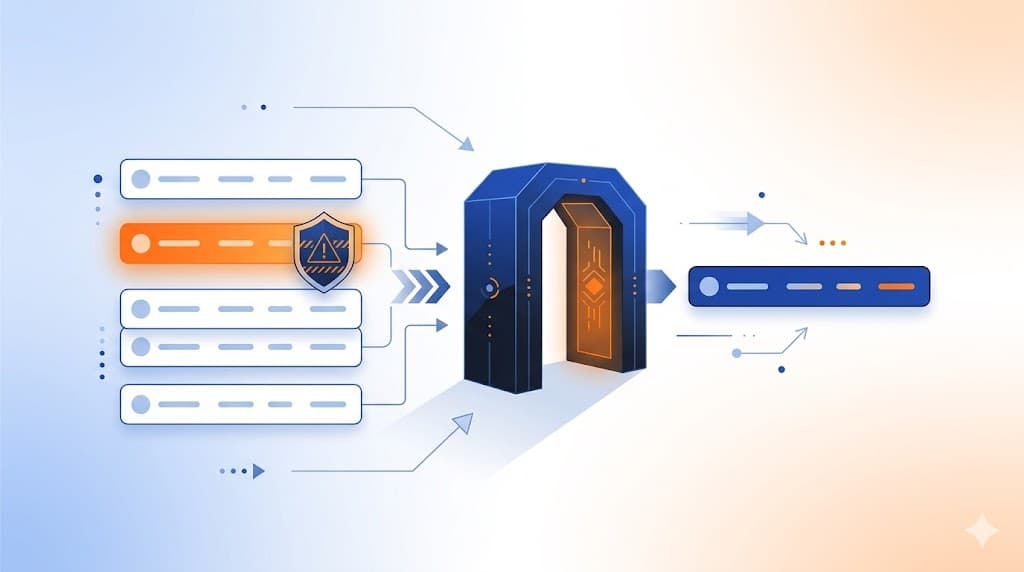
Why duplicate transactions inflate revenue
In the world of E-commerce Analytics (ECA), the purchase event is the most sacred data point. It is the metric upon which every other KPI-from Return on Ad Spend (ROAS) to Customer Acquisition Cost (CAC)-is built. When GA4 duplicate transactions occur, they don't just "skew" the numbers; they fundamentally corrupt the strategic decision-making process of the entire organization.
The most immediate impact is on Ad Platform Optimization. Modern advertising algorithms (Meta’s Advantage+, Google Ads’ Smart Bidding) rely on conversion value to decide which audiences to target. If a high-value transaction of $1,000 is recorded three times due to page refreshes, the algorithm perceives a $3,000 return. This creates an "Artificial Success" loop where the platform spends more money targeting an audience based on non-existent revenue. Over time, this leads to budget exhaustion on poor-performing segments that simply happened to have high technical duplication rates.
Furthermore, revenue inflation destroys Executive Trust. When the CFO looks at the internal ERP or Shopify sales report and sees $100,000 in revenue, but the GA4 dashboard shows $115,000, the analytics team loses its seat at the table. In 2026, data accuracy is synonymous with professional credibility. Duplication errors are often treated as "minor technical glitches," but in reality, they are a failure of the Analytics Architecture (AA). Fixing them is not just about cleaning a report; it is about ensuring that the digital representation of the business matches the financial reality of the bank account.
Browser back-button resubmission
One of the most persistent causes of duplicate purchases is the user's natural behavior: navigating backward. When a customer reaches the "Thank You" page, they might realize they forgot to print the receipt or want to double-check their shipping address. If they navigate away and then use the browser's "Back" button to return to the confirmation page, many legacy TM (Tag Management) setups will simply re-fire the purchase event.
Technically, this happens because the browser reloads the state of the page, including the GTM container and its triggers. If your trigger is a simple "Page View" on /checkout/success, every "Back" button click becomes a new sale. In 2026, browser caching and "Back-Forward Cache" (bfcache) have made this even more complex. Some browsers restore the page without a full reload, but others execute the JavaScript again, triggering the tags.
To stop this, you must move beyond URL-based triggers. A professional GA4 duplicate transactions fix involves using a State-Aware Trigger. By setting a flag in the user's localStorage or a first-party cookie once a transaction ID has been processed, GTM can check for that flag before firing the tag. If the transaction_id already exists in the local "Processed" list, the trigger is blocked. This "Client-Side Guardrail" is the first line of defense against navigational duplication.
Thank-you page refresh
The "F5" or "Refresh" button is the silent killer of revenue accuracy. Users frequently refresh confirmation pages, especially if the page is slow to load or if they are waiting for a specific confirmation number to appear. Standard e-commerce implementations that place the transaction data directly in the Data Layer on page load are highly vulnerable to this pattern.
Every time the page refreshes, the dataLayer.push({ event: 'purchase', ... }) is executed. Because GA4 is an event-stream platform, it treats every incoming packet as a new event unless specific deduplication logic is applied. While Google claims to deduplicate events with the same transaction_id, this process is not instantaneous and often fails if the refreshes happen in separate sessions or across a certain time threshold.
Remediation: The most effective way to handle refreshes is to Clear the Data Layer. Once the purchase event has been successfully sent to GA4, you should use a custom JavaScript variable to "Nullify" the transaction object. Alternatively, you can use a GTM variable to track the "Page Load Count" within a session. If the load count for the success page is greater than one, the purchase event is suppressed. This ensures that the user can refresh the page ten times to read the fine print without sending ten identical orders to your analytics warehouse.
Server-side duplicate fires
As more brands migrate to SST (Server-Side Tracking), a new breed of duplication has emerged: the Server-Side Race Condition. When you use a server-to-server connection (like a Shopify Webhook or a direct API call from your backend), the event is no longer tied to the user's browser. It is fired by your server.
Duplication at the server level often occurs because of Webhook Retries. If your tracking server is slow to respond with a 200 OK status, the source platform (like Shopify or Stripe) will assume the delivery failed and send the webhook again-sometimes up to 10 or 20 times over several hours. If your sGTM container isn't designed to "Remember" which webhooks it has already processed, you will end up with a massive multiplication of revenue.
To fix this, your Analytics Engineering (AE) team must implement a Deduplication Table. This is usually a lightweight database (like Firestore) that sits within your server-side environment. Every time a purchase webhook arrives, the server checks the transaction_id against the database. If the ID exists, the request is dropped immediately. If it is new, the ID is recorded, and the data is forwarded to GA4. This "Server-Side Validation" is the only 100% reliable way to handle high-volume webhook traffic in a modern AA (Analytics Architecture).
Enhanced E-commerce fallback
Many marketers transitioning from Universal Analytics (UA) assume that GA4 handles deduplication in the same way. In UA, deduplication was relatively robust because the "Transaction" was a specific hit type with a rigid schema. In GA4, a purchase is just another event, making the system more flexible but also more prone to error.
The GA4 native dedup limits are often misunderstood. Google Analytics 4 does attempt to deduplicate events based on the transaction_id, but only within a specific processing window (often cited as 24 to 48 hours). If a user bookmarks the thank-you page and returns to it three days later, GA4 will almost certainly count it as a second purchase.
Relying on Google’s "Native Fallback" is a high-risk strategy. Instead, you should implement an Application-Level Fallback. This involves your backend developers only rendering the purchase Data Layer once. After the first successful load, the server should store a "Transaction Processed" flag in the user's account database. On subsequent visits to the same order page, the server renders a different version of the page that lacks the e-commerce data. By "killing the data at the source," you remove the possibility of duplication entirely, regardless of how the user interacts with the browser.
GA4 native dedup limits
It is critical for Analytics Engineering (AE) teams to understand the fine print of Google’s deduplication logic. Unlike a relational database with a "Unique Constraint" on a primary key, GA4 is designed for speed and scale over absolute transactional ACID (Atomicity, Consistency, Isolation, Durability) compliance.
The Processing Latency Gap: Because GA4 processes data in batches, there is a window of time where two identical transactions might be accepted before the system realizes they are duplicates. If a user double-clicks a "Submit" button and triggers two purchase events within milliseconds, both may pass through the initial ingestion layer.
The Attribution Mismatch: If a duplicate is eventually removed by GA4's native logic, it may still leave "Ghost Data" in other reports. For example, the purchase event might be removed, but the "Session Start" or "User Engagement" associated with that duplicate visit might remain, leading to slight discrepancies in your conversion rate calculations. In 2026, the only way to verify what GA4 is actually doing "under the hood" is through the BigQuery Export. By querying the raw event data, you can see every instance of a transaction_id and manually verify if the UI is filtering them or if they are flowing through into your final reports.
Server-side validation patterns
The most robust solution to GA4 duplicate transactions in 2026 is the Lookup Pattern in Server-Side GTM. This is the gold standard for enterprise-level ECA.
The Pattern Works as Follows:
The Incoming Event: The sGTM container receives a purchase event (either from the web or a webhook).
The Firestore Lookup: Using a custom tag or variable, the container queries a Firestore collection using the transaction_id as the document ID.
The Logic Gate:
IF the document exists: The container returns a "Duplicate" flag. The tags are blocked.
IF the document does not exist: The container creates the document and allows the tags to fire.
TTL (Time To Live): The Firestore document is set with a TTL of 30 or 60 days to keep storage costs low while protecting against long-term bookmark refreshes.
This pattern moves the responsibility of data integrity away from the "Unreliable Browser" and into a "Reliable Cloud Environment." It ensures that your GA4 property receives exactly one event for every real-world transaction, regardless of how many times the user reloads their page or how many times a webhook retries.
Auditing after a duplication incident
If you discover that your revenue has been inflated for the past month, you cannot "Undo" the data in GA4. Unlike UA, GA4 does not allow for data deletion of specific events by ID easily. You must perform a Duplication Audit to quantify the damage and adjust your strategic outlook.
The Audit Flow:
BigQuery Identification: Run a SQL query to group by transaction_id and count the number of events. Filter for count > 1.
Pattern Analysis: Look at the user_agent and page_location for the duplicates. Are they all happening on Safari? (Likely an ITP/Back-button issue). Are they happening at exactly 3:00 AM? (Likely a server-side cron job or webhook issue).
Revenue Correction: Calculate the "Total Real Revenue" by summing the purchase value for only the first occurrence of each transaction_id. Use this number to manually restate your monthly performance to stakeholders.
Feedback Loop: Use the findings from the audit to update your AA (Analytics Architecture). If the audit shows that 90% of duplicates are from "Thank You" page refreshes, you know exactly where to apply your GTM localStorage fix.
An audit is not just about finding errors; it is about finding the "Technical Debt" that caused them. By treating every duplication incident as a learning opportunity, you build a data stack that is increasingly resilient over time.
Final thoughts
In the age of algorithmic marketing, data integrity is not a luxury; it is a prerequisite for profitability. GA4 duplicate transactions are more than just a reporting nuisance; they are a direct threat to your ad efficiency and your organizational trust.
By understanding the four root causes-back-button usage, page refreshes, server-side race conditions, and native platform limits-you can move from a "Reactive" state to a "Proactive" one. Implementing server-side validation patterns and client-side guardrails ensures that your revenue data is as accurate as your bank statements.
In 2026, the companies that will thrive are those that stop "tracking everything" and start "validating everything." Accuracy is the ultimate competitive advantage. Don't let your revenue data be a collection of duplicates; make it a verified record of your success.
Topics: AE, e-commerce growth, GA4 duplicate transactions, revenue integrity, GTM debugging, ECA, server-side tracking, GA4, Analytics Architecture, transaction deduplication
More articles on the Samarth Analytics blog · Markdown version of this article