Are Your GA4 Conversions Valid, Duplicated, or Missing? An Audit Framework
By Samarth Analytics · Published · Updated · Analytics Audits · 8 min read
Summary: A systematic approach to auditing Google Analytics 4 conversions to eliminate the three most common sources of data corruption. This guide identifies the patterns of invalid, duplicated, and missing conversion events and provides a reconciliation framework to align GA4 with backend CRM and advertising platform reports.
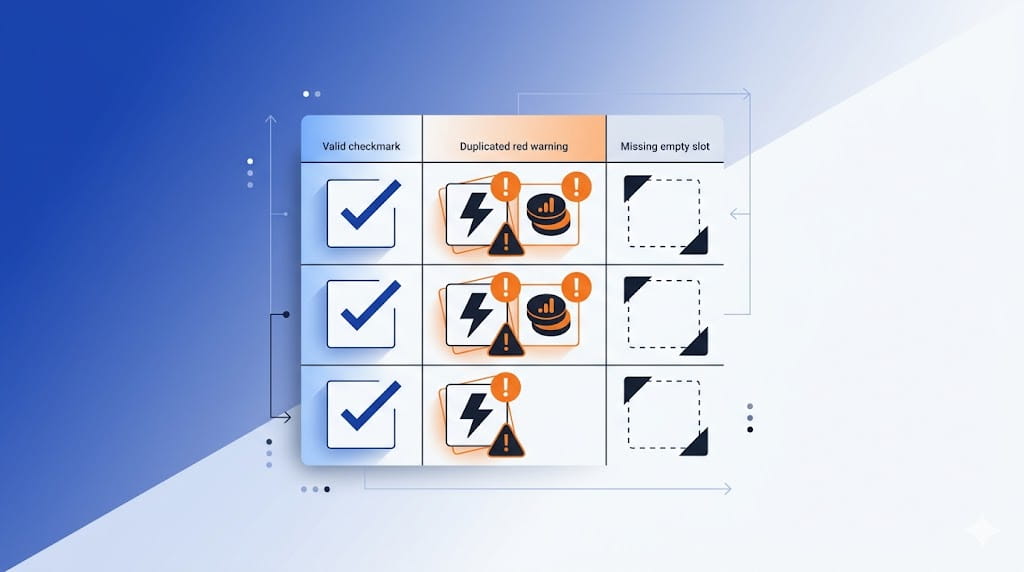
The three classes of conversion error
In the field of Analytics Architecture (AA), a dashboard is only as valuable as the integrity of its conversion events. While vanity metrics like "Page Views" or "Sessions" can tolerate a small margin of error, conversion data is the fuel for financial forecasting and algorithmic ad bidding. Through our extensive GA4 conversion audit workflows, we have categorized conversion failures into three distinct classes: Invalid, Duplicated, and Missing.
Invalid conversions occur when an event is technically working but semantically incorrect. For example, a "Lead" event that fires when someone merely lands on the contact page, rather than when they actually submit the form. These errors inflate performance metrics and lead to a false sense of security.
Duplicated conversions are the most common driver of inflated CPAs. This happens when the same user action is counted twice-often because of page refreshes, back-button navigation, or "Double Tagging" where a hardcoded script and a GTM tag are firing the same event simultaneously.
Missing conversions represent the "Silent Leak." These are valid transactions or leads that occur on your site but never reach the analytics interface. This is typically caused by technical blockages, such as aggressive ad-blockers, ITP (Intelligent Tracking Prevention) resets, or errors in the server-to-server handshake.
Identifying which class of error is plaguing your data is the first step in the remediation process. Without this classification, you are simply "guessing" at why your numbers don't match your bank account.
Invalid - shouldn't count
The "Invalid" category of conversion error is a failure of logic, not a failure of code. During an Analytics Architecture (AA) audit, we often find that "Conversion" flags have been applied to events that do not represent a meaningful business outcome.
Common invalid patterns include:
Mistaken "Thank You" Page Landings: If your conversion trigger is based on a URL contains /thank-you, but that URL is indexed by search engines, a user landing on that page from a Google search will count as a conversion without ever having filled out a form.
Internal Test Traffic: High-growth teams often forget to filter out internal IP addresses. If your sales team is constantly visiting the demo-request page to show clients, and those visits are marked as conversions, your acquisition reports are permanently skewed.
Non-Purchase Success Events: Marking "Newsletter Sign-up" and "High-Ticket Purchase" with the same level of importance in GA4. While both are valuable, they must be separated into "Primary" and "Secondary" conversions to avoid diluting the optimization signals for your ad platforms.
To fix invalid conversions, you must audit the "Trigger Logic" in GTM. Ensure that your triggers are based on a specific, non-replicable action (like a successful API response from a form) rather than a generic URL path.
Duplicated - firing twice
Duplication is the "inflationary pressure" of e-commerce data. In CT (Conversion Tracking), duplication usually stems from the browser's inability to remember that a conversion has already occurred.
The Refresh Trap If a user reaches a "Success" page and then refreshes their browser, the GA4 tag will fire a second time. Unless you have implemented a "Transaction ID" or "Event ID" deduplication logic, GA4 will record two conversions for a single sale.
The Multi-Channel Pixel Conflict Often, a marketing team will have a developer hardcode a Facebook Pixel while an agency implements the Google Tag through GTM. If both tags fire on the same event without a unified data layer, you end up with duplicated data that confuses your attribution models.
Remediation: The most effective way to solve duplication is through Transaction ID Deduplication. In GA4, if you send multiple events with the same transaction_id, the system will attempt to deduplicate them. However, for non-purchase conversions (like leads), you must use a custom "Event ID" and a browser-side cookie or local storage to flag that a conversion has already been sent for that specific user session.
Missing - never marks
The "Missing" conversion is the most difficult to diagnose because you are trying to find something that doesn't exist in your reports. This is where a GA4 conversion audit becomes a technical investigation.
The ITP and Cookie Lifespan Issue Browsers like Safari (via ITP) now limit the lifespan of first-party cookies to as little as 24 hours if the user arrived via a tracking link. If your "Conversion" happens 48 hours after the click, the cookie-and the attribution-is gone. The event fires, but it is attributed to "Unassigned" or "Direct," effectively making it "Missing" from your marketing reports.
Script Termination and Latency If your tracking script is heavy or placed at the bottom of the page, the user may close the browser window before the data packet is successfully sent to Google’s servers. This is particularly prevalent on mobile devices with high-latency connections.
The Solution: To capture these missing marks, you must move toward Server-Side Tracking (SST). By processing the conversion on your own server and then sending it to Google, you bypass the browser's restrictions and ensure a 100% data transmission rate, regardless of ad-blockers or connection speed.
Reconciling GA4 with platform reports
A common point of friction during a GA4 conversion audit is the discrepancy between GA4, Meta Ads Manager, and your internal CRM. It is a myth that these three will ever match perfectly, but they should be within a 5-10% tolerance.
Why they don't match:
Attribution Models: Meta uses a "7-day click, 1-day view" model by default. GA4 uses a "Data-Driven" model that typically prioritizes the "Last Non-Direct Click." This means Meta will always claim more credit for a conversion than GA4 will.
Time of Conversion: Meta attributes a sale to the time the ad was clicked. GA4 attributes it to the time the sale occurred. If someone clicks an ad on Monday and buys on Friday, the reports will never align on a daily basis.
Reconciliation Framework: Create a "Truth Table" that maps:
Backend CRM Orders (The Ultimate Truth).
GA4 Recorded Conversions (The Digital Proxy).
Ad Platform Reported Conversions (The Algorithmic Estimate).
If your GA4 numbers are higher than your CRM, you have an Invalid/Duplicated problem. If they are significantly lower, you have a Missing problem.
Remediation patterns
Once the GA4 conversion audit identifies the errors, the remediation must follow a structured pattern to avoid breaking historical data continuity.
The "Shadow Event" Test: Before replacing an old, broken conversion event, create a new "Test" event in GTM. Run both for 7 days to ensure the new logic is capturing the data correctly without inflating or missing marks.
Standardizing the Data Layer: Implement a single, unified Data Layer that all tags (GA4, Meta, LinkedIn, etc.) pull from. This ensures that even if you have multiple vendors, they are all working from the same "source of truth."
Server-Side Validation: Move your most critical conversions (Purchases, High-Value Leads) to a server-side environment. This is the only way to achieve "Deduplication at Source" and "Bypass at Browser."
Remediation is not just about fixing the code; it’s about updating the Analytics Architecture (AA) to be resilient against future browser changes and marketing pivots.
Quarterly audit template
To maintain data integrity, a GA4 conversion audit should be performed every 90 days. We recommend the following checklist:
Trigger Audit: Check every conversion trigger in GTM. Are they still pointing to the correct CSS selectors or success URLs?
Deduplication Check: Export a sample of Transaction IDs from BigQuery or the GA4 UI. Are there any duplicates?
Consent Mode Validation: Verify that conversions are not firing when ad_storage or analytics_storage is denied.
PII Leak Check: Ensure no email addresses or phone numbers are being passed in the URL parameters of conversion pages.
Cross-Device Continuity: Perform a test purchase on a mobile device and verify that the session is correctly attributed in the real-time report.
By following this quarterly cadence, you ensure that your "Strategic North Star" metrics remain accurate, allowing you to scale your marketing with confidence.
Final thoughts
In the modern data ecosystem, a "Set it and forget it" approach to conversion tracking is a recipe for disaster. As browsers become more restrictive and advertising algorithms more reliant on high-quality signals, the GA4 conversion audit has moved from an "optional task" to a "mission-critical" operation.
Data integrity is the foundation of growth. When you can trust that every conversion in your dashboard represents a real, unique, and valid business outcome, you unlock the ability to make aggressive, data-driven decisions that leave your competitors in the dark. Audit your conversions today, before your quarterly reports become a collection of expensive errors.
Topics: GA4 conversion audit, data integrity, e-commerce audit, GTM troubleshooting, conversion duplication, CT, AA, Analytics Architecture, conversion tracking
More articles on the Samarth Analytics blog · Markdown version of this article